INDEPENDENT PRODUCT DESIGN · 2026
Rulebook Design Studio
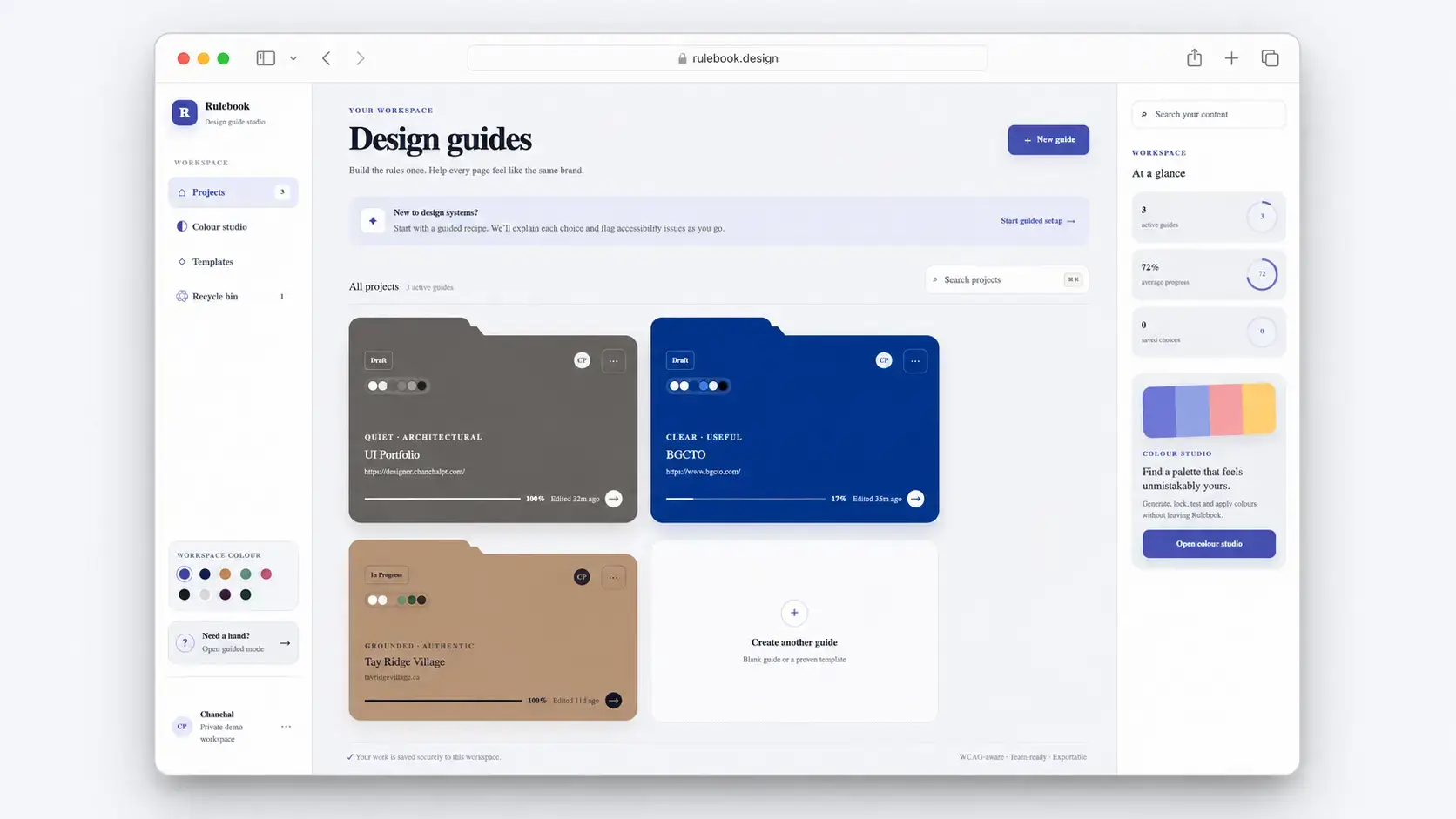
Designing an accessible workspace for creating, testing and managing design systems. A connected workspace for turning visual decisions into accessible, reusable design systems and developer-ready outputs.
ROLE
Product Design, UX/UI, Front-End
PLATFORM
Responsive Web App
YEAR
2026
TECH
React, TypeScript, CSS, Node.js
01 — THE CHALLENGE
Creating a design system shouldn’t require five different tools.
Building a website design system often involves moving between separate tools for colour, typography, accessibility, documentation and developer handoff. Each tool may solve one part of the process, but the decisions still need to work together as one system.
The challenge becomes even greater for people with limited design-system experience. They may understand how they want a product to feel without knowing which decisions to make first, whether those choices are accessible, or how to turn them into reusable design rules.

02 — DESIGN PRINCIPLES
Defining the experience before designing the interface.
Before designing individual screens, I defined a small set of principles to guide how Rulebook should behave as the product grew.
01
MAKE
COMPLEXITY
APPROACHABLE
Give users a clear place to start without requiring deep design-system knowledge.
02
CONNECT
DESIGN
DECISIONS
Colour, typography, accessibility, previews and rules should work as parts of one system rather than separate tools.
03
BUILD
ACCESSIBILITY
INTO CREATION
Contrast, focus and accessible relationships should influence decisions while users are designing, not only at the end.
04
BRIDGE DESIGN
AND
DEVELOPMENT
Design decisions should become reusable documentation, tokens and implementation-ready outputs.
03 — INFORMATION ARCHITECTURE
Turning many tools into one understandable workflow
As Rulebook grew, the challenge was no longer simply designing individual features. The larger UX problem was deciding how those features should relate to one another.
I structured the product around the progression of creating a design system rather than around a collection of separate generators.
This flow became the backbone of Rulebook. Users can move from exploration toward increasingly concrete design decisions without needing to understand every part of the application before they begin.
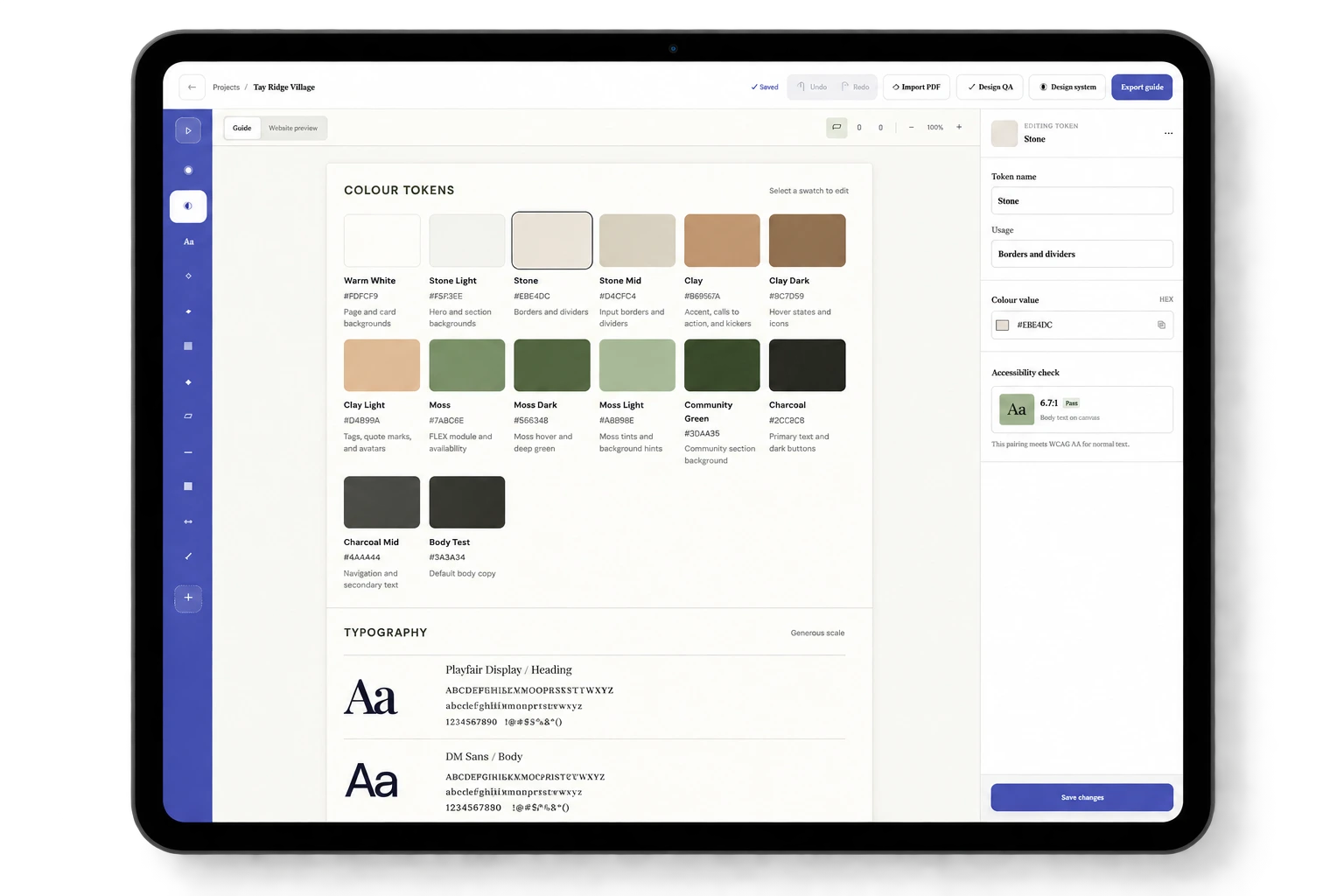
Guide Structure: Keeps colour, typography, rules and other system sections within one predictable structure.
Contextual workspace: Lets users move between editing the system and seeing it applied in context.
Validate & hand off: Bring validation, importing and export into the same project workflow.
Contextual inspector: Shows only the controls, usage and accessibility feedback relevant to the selected item.
Design workspace: Keeps the active design-system decisions visible and editable in one focused canvas.
04 — GUIDED CREATION
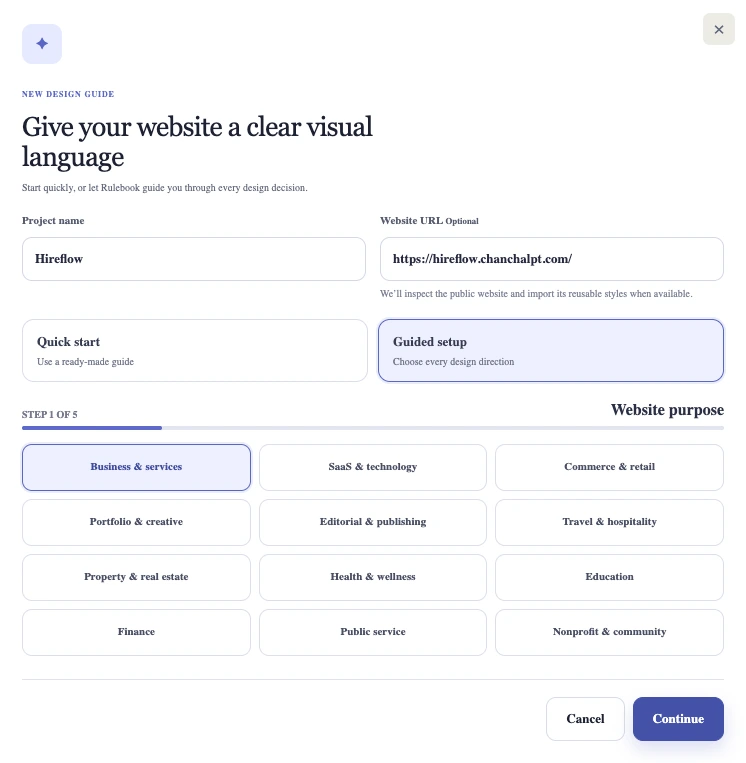
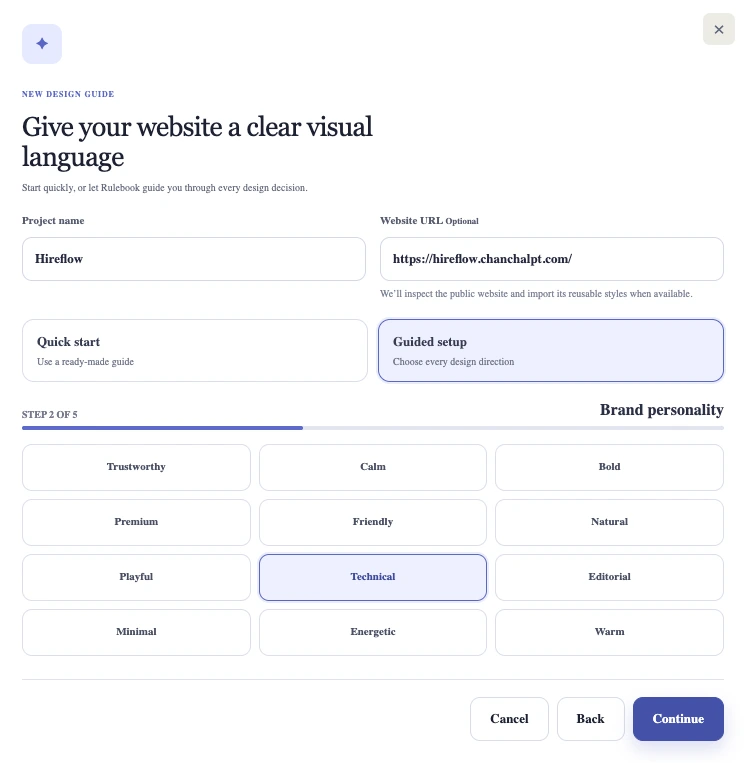
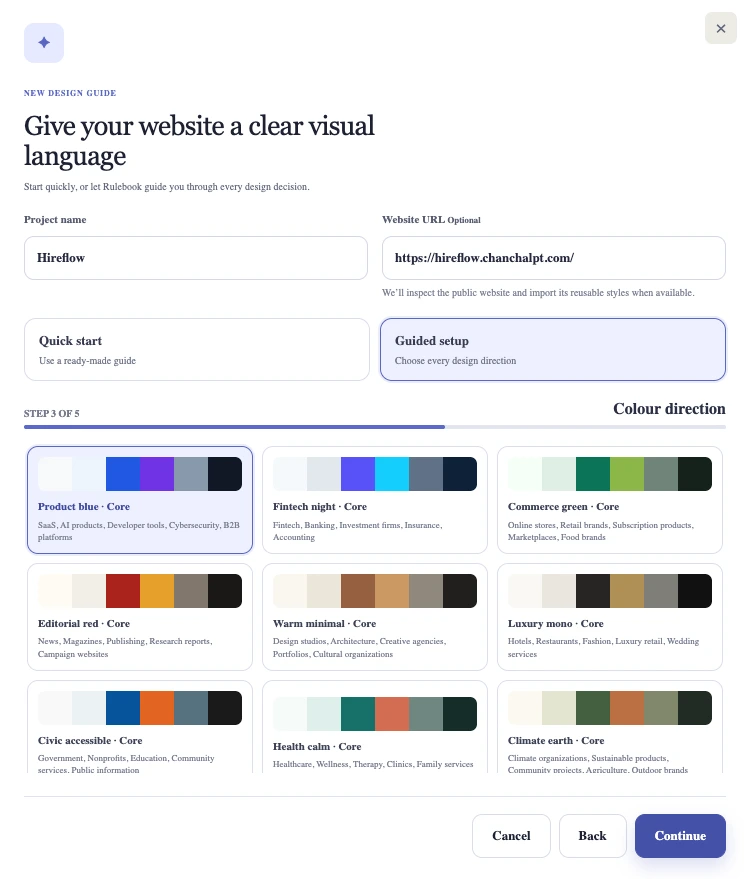
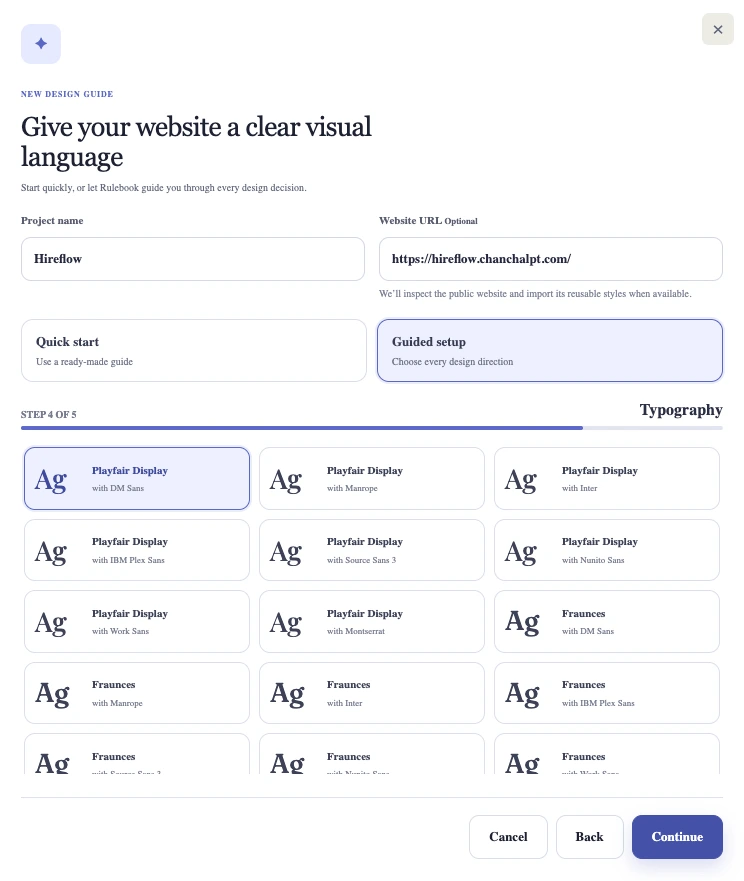
Removing the blank-canvas problem
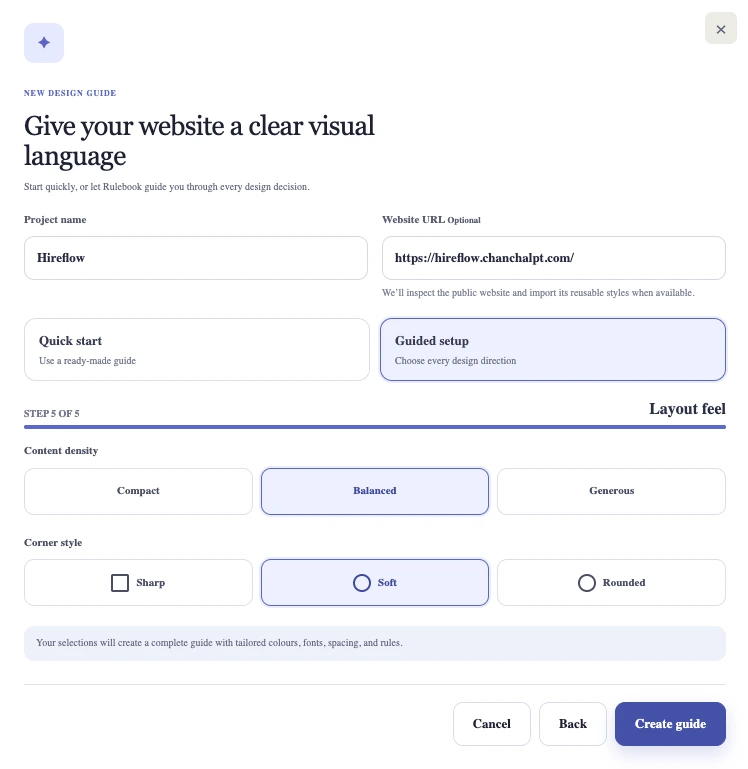
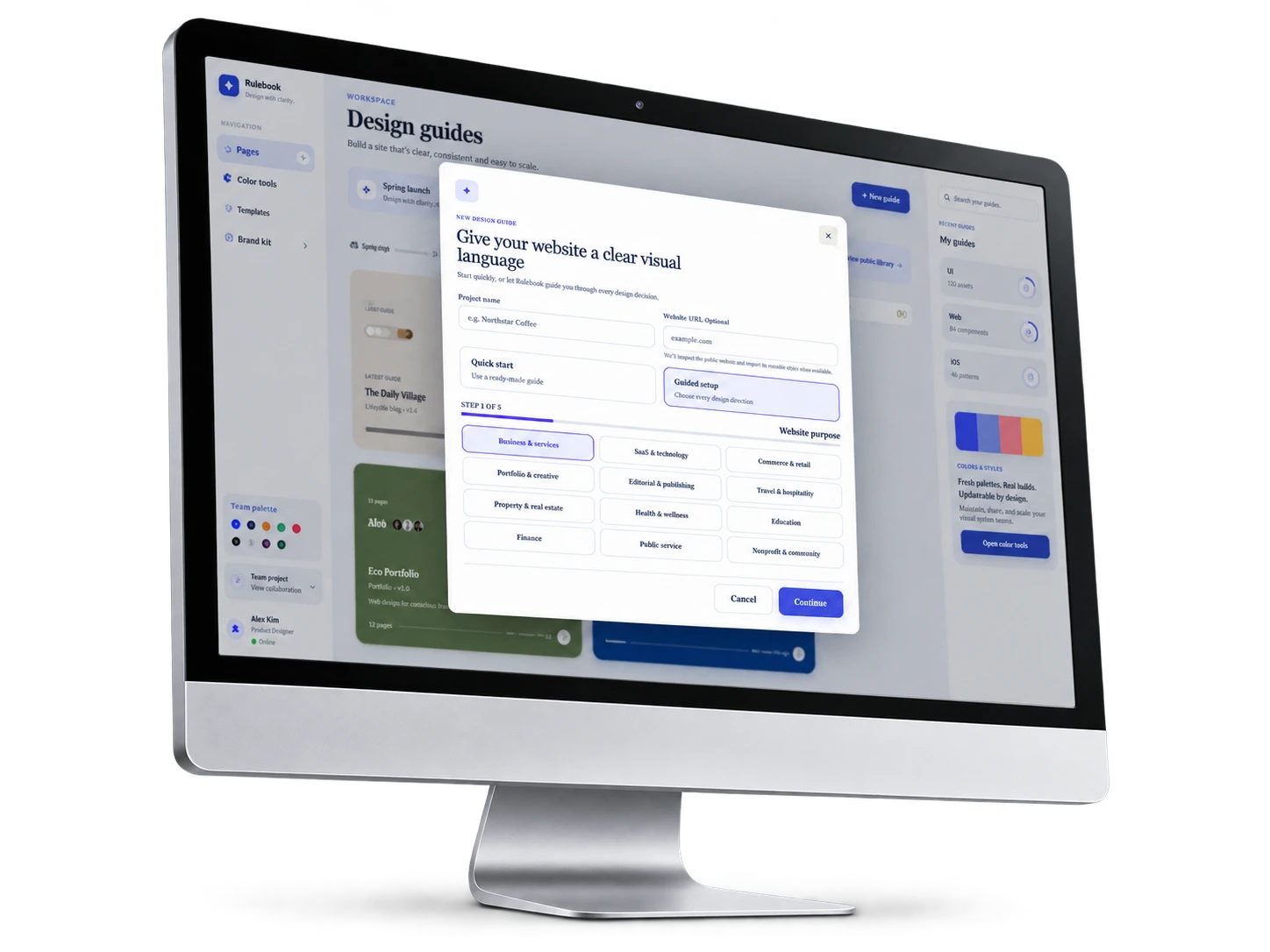
Starting from an empty design-system workspace can be intimidating, especially for users who know the visual direction they want but are less familiar with system-level decisions.
I introduced a guided setup flow that breaks the starting process into smaller, more understandable choices.